Storyboarding and video generation
Take an idea from a single line to a finished cut, the way a production does it.
Sixteen checkpoints. Story before scenes, characters before frames, a consistency pass before you render. Nothing generates until you approve the storyboard.
Scene 1 — start here
Storyboarding is free on every plan. You only spend credits when you generate media.
Any subject, any medium
Pick a subject, then pick the medium. Same four setups every time.
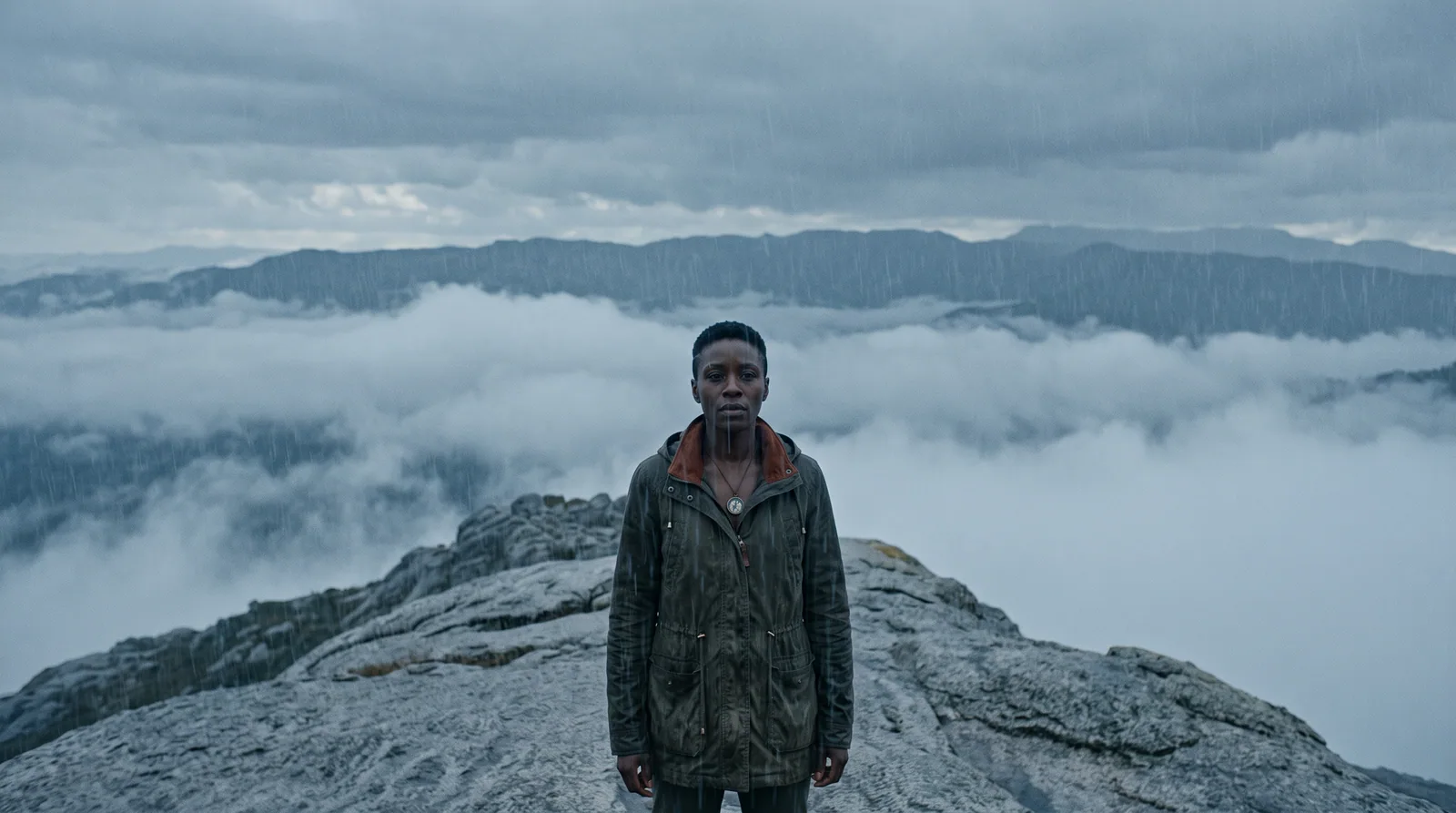

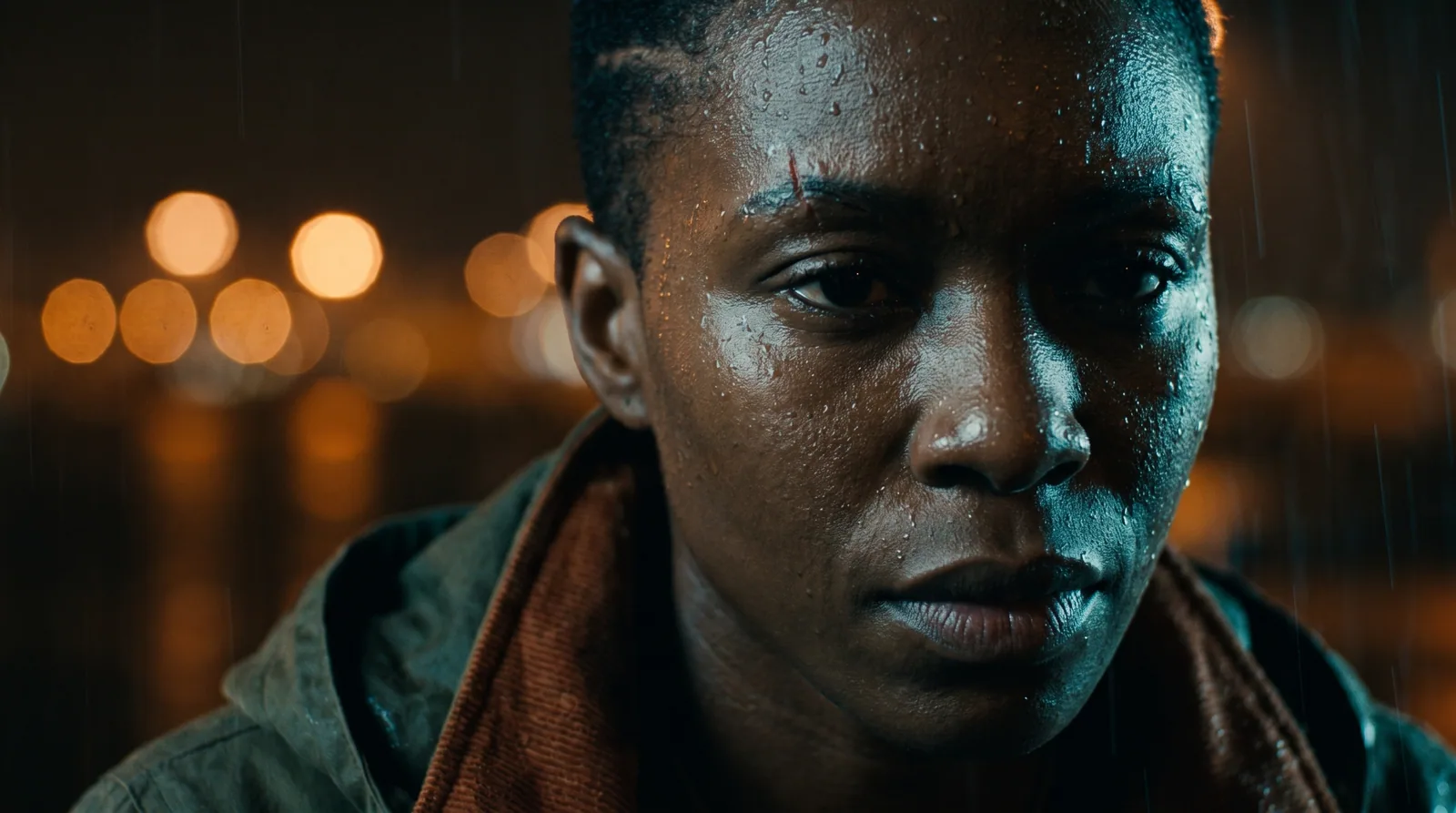
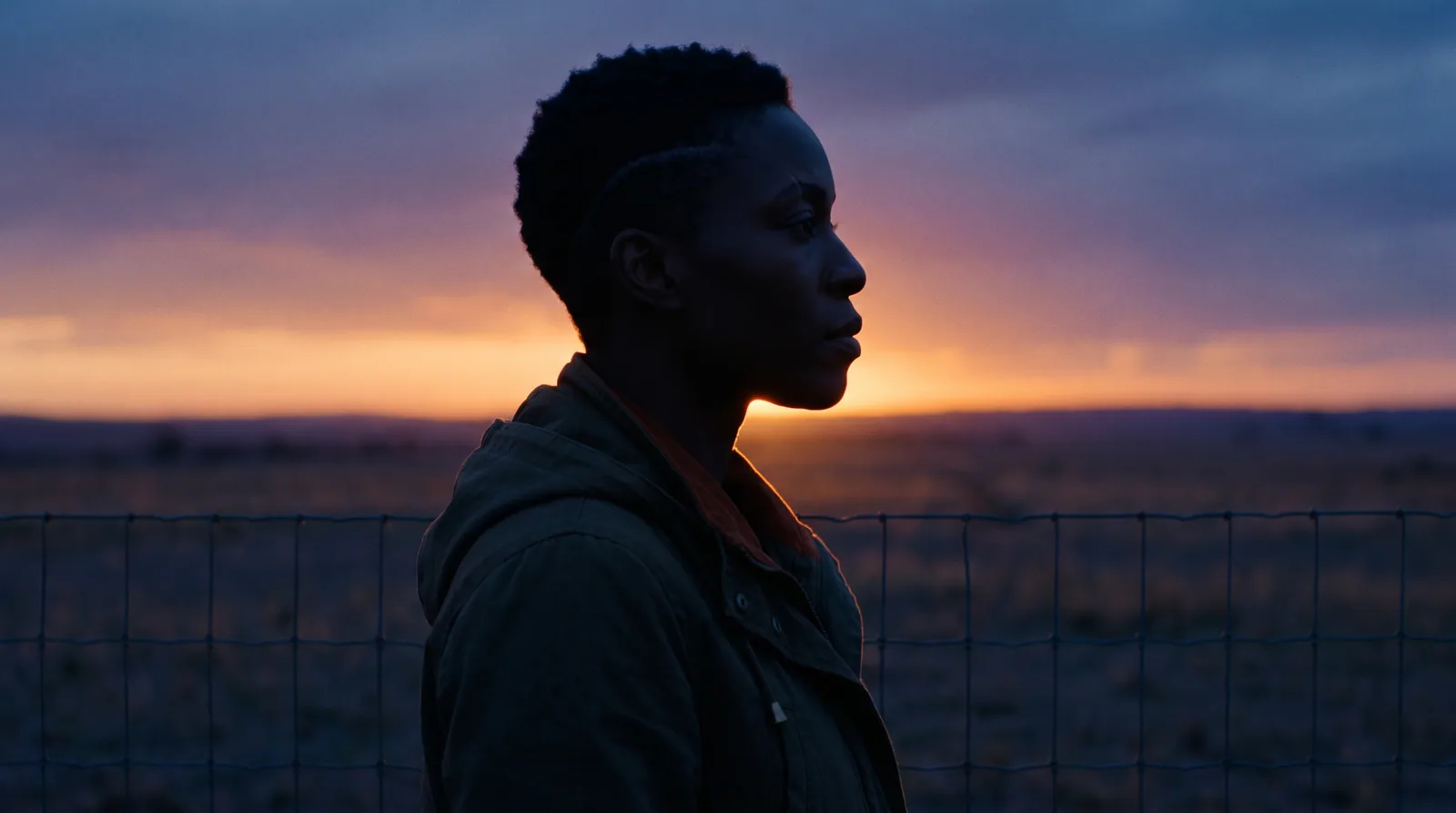
Photoreal cinematography, graded like a feature. One approved character sheet, four setups. Change the medium and she survives it.
Continuity
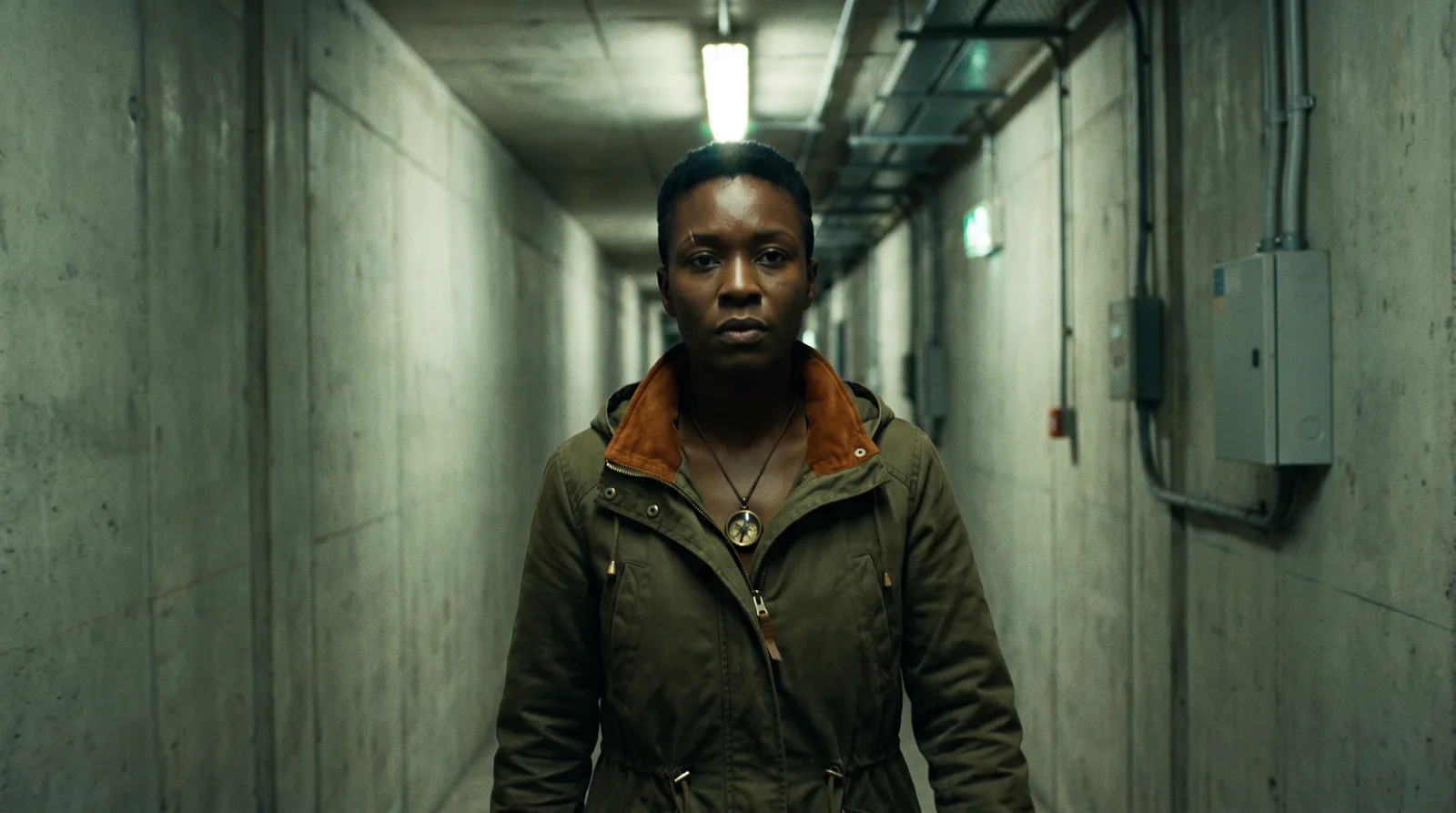
One character. Six setups. Same person.
A reference image can keep a jacket the right colour. It cannot keep a person the right height — that needs a number. Characters, props and locations here carry real measurements, and every scene sharing one is checked against them, not just the scene next door. Check the scar, the collar, the compass.

Identity sheet, approved

The production pipeline
Sixteen checkpoints, in production order.
Colour-coded the way a production colour-codes its revisions. Open any page to see what happens at that checkpoint: what you give it, what it produces, and what you approve before it moves on.
01Project setupConfirm media type and length.review
Set what you are making before anything else, because the pipeline branches on it. Media type filters the cinematography presets, and the preset sets the default look.
- You give it
- A media type, a length, an aspect ratio, and a cinematography preset.
- It produces
- A project with a creative direction attached to every later prompt.
- You approve
- The setup. It stays editable from project settings afterwards.
02Subject & sourceConfirm script/topic interpretation.script
Give it the raw material: a topic in a line, or a script you already have.
- You give it
- A topic, a premise, or a pasted script.
- It produces
- A stored subject the story brief pre-fills from.
- You approve
- That it read your source the way you meant it.
03Rough-order storyReview the high-level outline.script
A rough-order story: the beats in sequence, before anyone thinks about shots.
- You give it
- The subject, plus the project's tone.
- It produces
- An editable outline of beats you can reorder, add to and delete.
- You approve
- The outline, which unlocks refinement.
04Story refinementApprove the story.script
Tighten the outline until the story actually works. Nothing visual has been committed yet, so changes here are free.
- You give it
- Your edits and notes on the outline.
- It produces
- An approved story.
- You approve
- The story. This is the last cheap place to change your mind.
05Scene breakdownReview each scene.script
Break the story into scenes, each with a setting, a purpose and a duration. Per-scene direction (shot size, angle, movement, lighting, mood) can be set by hand or drafted for you.
- You give it
- The approved story.
- It produces
- An ordered, reorderable scene list with timings that sum against your target.
- You approve
- Each scene, its direction and its duration.
06Character profilesReview each profile.script
Draft the cast from the story and scenes. Who is in this, what they want, how they speak.
- You give it
- The story, the scenes and the tone.
- It produces
- A profile per character, editable, with roles.
- You approve
- Each profile before it becomes a face.

A profile becomes a face only after you approve the words. 07Character visualizationApprove character sheets and variations.image
Turn each approved profile into an identity-anchored multi-view sheet. This sheet is the anchor every later shot of that character is generated against, which is what keeps them the same person.
- You give it
- The approved profile, plus a reference image if you have one.
- It produces
- Front, side, top and back views, plus outfit and transitional variations.
- You approve
- The sheet. Any view can be regenerated or edited in place with a mask.
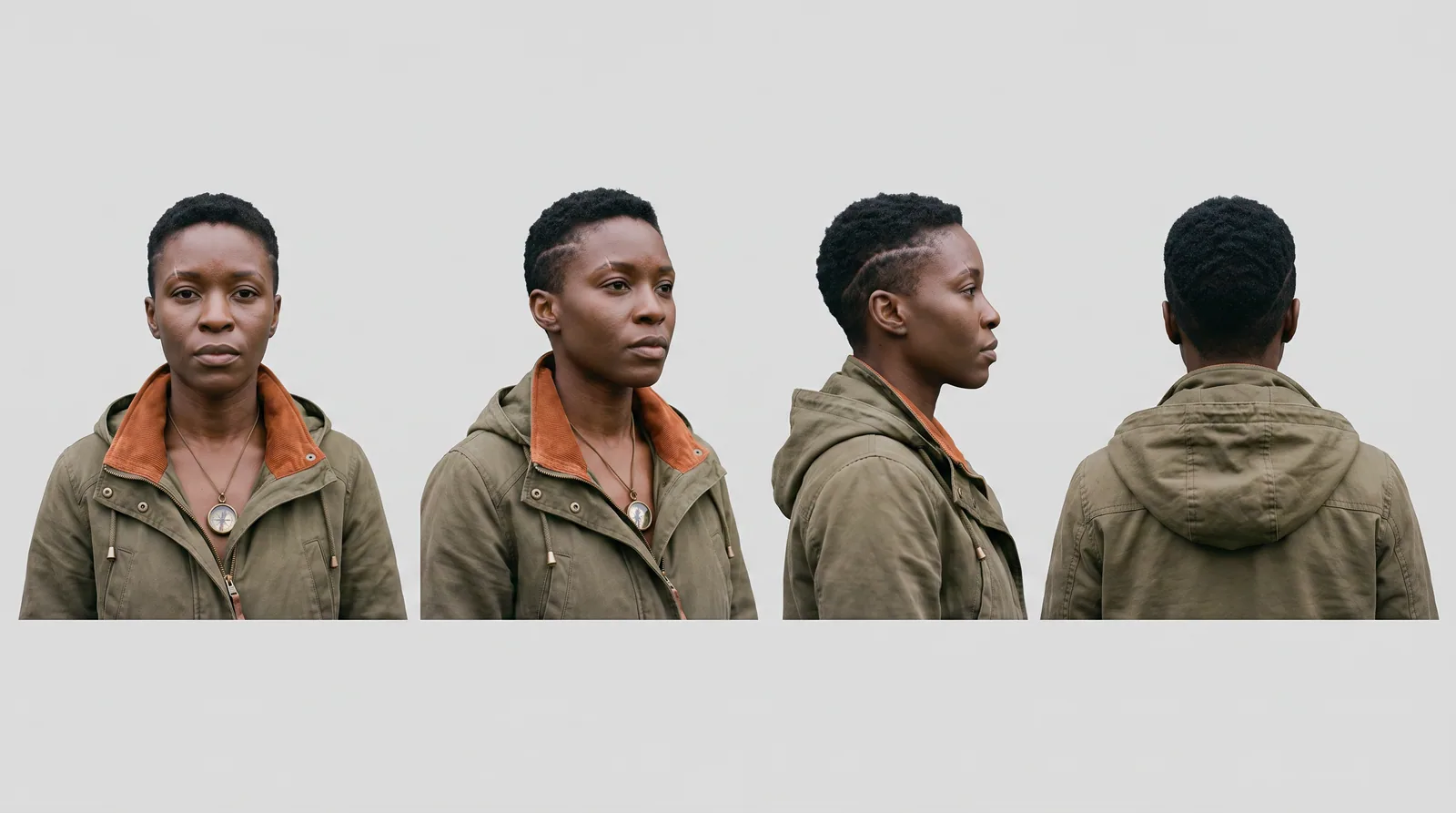
The multi-view sheet: approved once, reused everywhere. 08Character voicesApprove each voice.voice
Give each character a voice and hear it before it is used. The voice is pinned to the character the way the sheet is.
- You give it
- The character profile.
- It produces
- An assigned voice with a playable sample.
- You approve
- Each voice.
09Objects & productsApprove each object sheet; assign objects to scenes.image
Props and products are consistent entities too, with their own sheets and variations. For an advertisement, this is where the product itself becomes the subject the story is built around, and it holds its exact form across every shot.
- You give it
- An object description, or a reference photograph of the real product.
- It produces
- An object sheet with views, plus per-scene assignment so the render prompt knows the object is in frame.
- You approve
- Each object sheet, and which scenes it appears in.

One product, held identical from hero shot to macro detail. 10EnvironmentsApprove each location and its place-variations.image
Locations are entities as well, with place-variations: the same geometry under different weather, times of day, or story events. The village before the fire and after it are the same location in two states, not two unrelated images.
- You give it
- A location description, or a reference image.
- It produces
- An environment sheet plus its variations, reusable across every scene set there.
- You approve
- The location and each of its states.
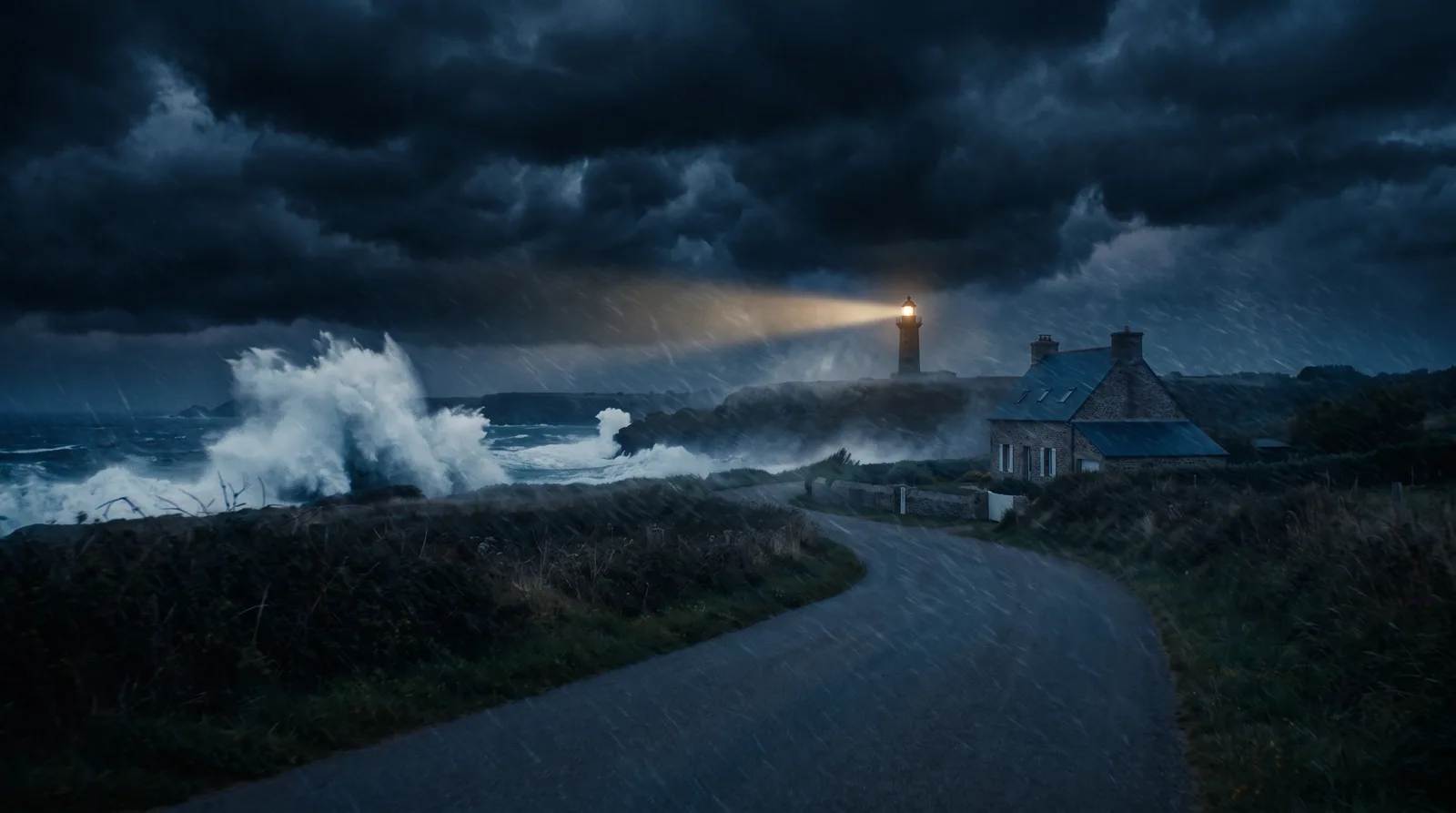
Same headland, same camera, act two. 11Ratings & rightsAcknowledge rating; pass likeness clearance.script
The safety gate. Content rating, real-person likeness verification, and forced variation to separate a character from a persona. Enforced on the server before any generation runs.
- You give it
- Your rating choice and any likeness declarations.
- It produces
- A cleared project, or a blocked one with the reason.
- You approve
- The rating, and clearance on any likeness.
12Consistency passReview issues or correction log; approve.script
A review of the whole story before anything expensive renders: characters, objects, environments and continuity checked against each other.
- You give it
- Everything approved so far.
- It produces
- An issue list or a correction log.
- You approve
- The corrections. This is the last checkpoint before spend.
13Scene generationReview each generated scene.video
Render the scenes. Each generation is pinned to a model, a version and its settings, so a shot you liked can be made again. Cost is shown before you spend it.
- You give it
- Approved scenes, sheets, objects and environments.
- It produces
- A clip per scene, reviewable and individually regenerable.
- You approve
- Each generated scene.
A rendered scene, with its character sheet holding. 14Assembly & revisionAssemble and approve the cut.video
Assemble the approved clips into a cut, with narration and captions, and revise until it plays.
- You give it
- The approved scene renders.
- It produces
- A downloadable finished cut.
- You approve
- The cut.
15FeedbackGive per-video and platform feedback.review
Say what worked and what did not, per video and on the platform itself.
- You give it
- Your notes.
- It produces
- Recorded feedback.
- You approve
- Nothing to approve; this one is you talking to us.
16SharingChoose to share (opt-in, watermarked).review
Sharing is opt-in. Anything you share carries an ownership watermark, and your project content is never used to train models.
- You give it
- Your decision to share.
- It produces
- A shareable, watermarked video.
- You approve
- That you actually want it public.
Inserted by content type
The pipeline branches. These are added automatically to the run when the project calls for them, in production order alongside the checkpoints above.
+Hook & CTAConfirm the opening hook and closing call-to-action.script
Added for short-form projects, after Scene breakdown.
Short-form and ads live or die on the first seconds and the last. This sets the opening hook and the closing call-to-action explicitly.
- You give it
- The story and the intent.
- It produces
- A drafted hook and call-to-action.
- You approve
- Both.
+ChapteringGroup scenes into acts/chapters for a long-form structure.script
Added for long-form projects, after Scene breakdown.
Group the scenes into acts or chapters so a long piece has a structure a viewer can follow.
- You give it
- The scene list.
- It produces
- Chaptered scenes.
- You approve
- The chapter breaks.
+Style lockLock the animation/anime style reference reused across every shot.image
Added for animation and anime projects, after Story refinement.
Lock one visual style reference and reuse it on every shot, so an animated or anime project does not drift frame to frame.
- You give it
- A style reference.
- It produces
- A locked style applied across the run.
- You approve
- The locked style.
What stays consistent
Not just faces.
Characters
A profile, an identity-anchored multi-view sheet, a reference image you upload, and a voice. Outfits and transitional looks change deliberately, never by accident.
Objects and products
The same prop, the same product, the same label - held across every shot it appears in.
Environments
A place and its variations. The village, the village burning, the village the morning after - one location, three states, same geometry.
Casting
A cast, not a house style.
Characters are built from a written profile, so they come out looking like people rather than like each other. Each of these got the same treatment: a profile, an identity-anchored sheet, a voice. Open any card to read the face at full size.
Beyond the photographable
Nothing here could have been cast.
Consistency is easy to believe when the subject is a person in a coat. So here it is on subjects that have no reference in the world: a sheet is approved, and the invented details hold across every setup. Each of these is rendered in a different medium, and there is a third — the Ashwold — in the switcher at the top of this page, in all five.
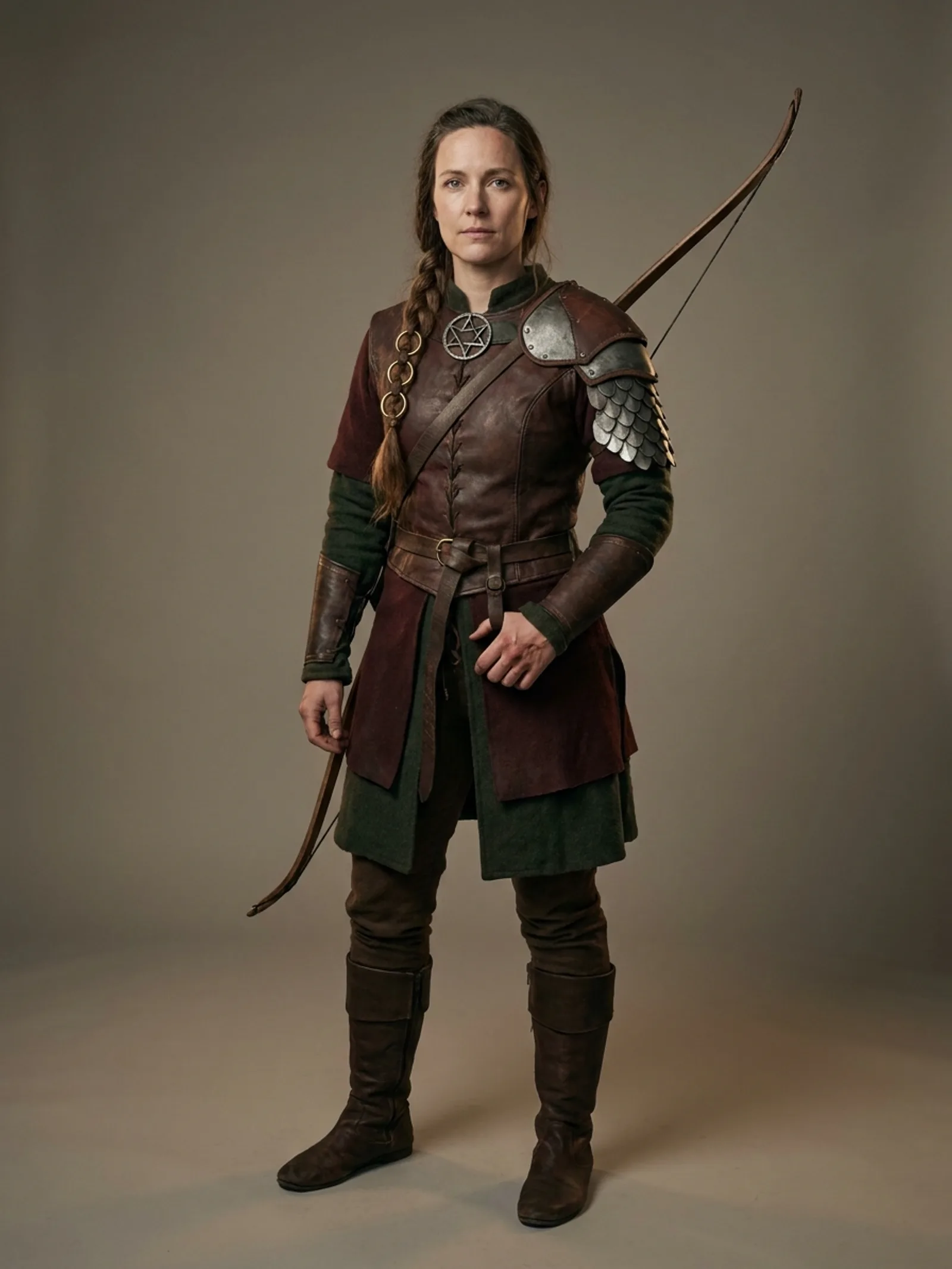
Identity sheet, approved
Rendered as 3D animationSplit-scale pauldron on the right shoulder only, a hooked-star sigil at the throat, three rings in the braid, a burn across the bowstring fingers.
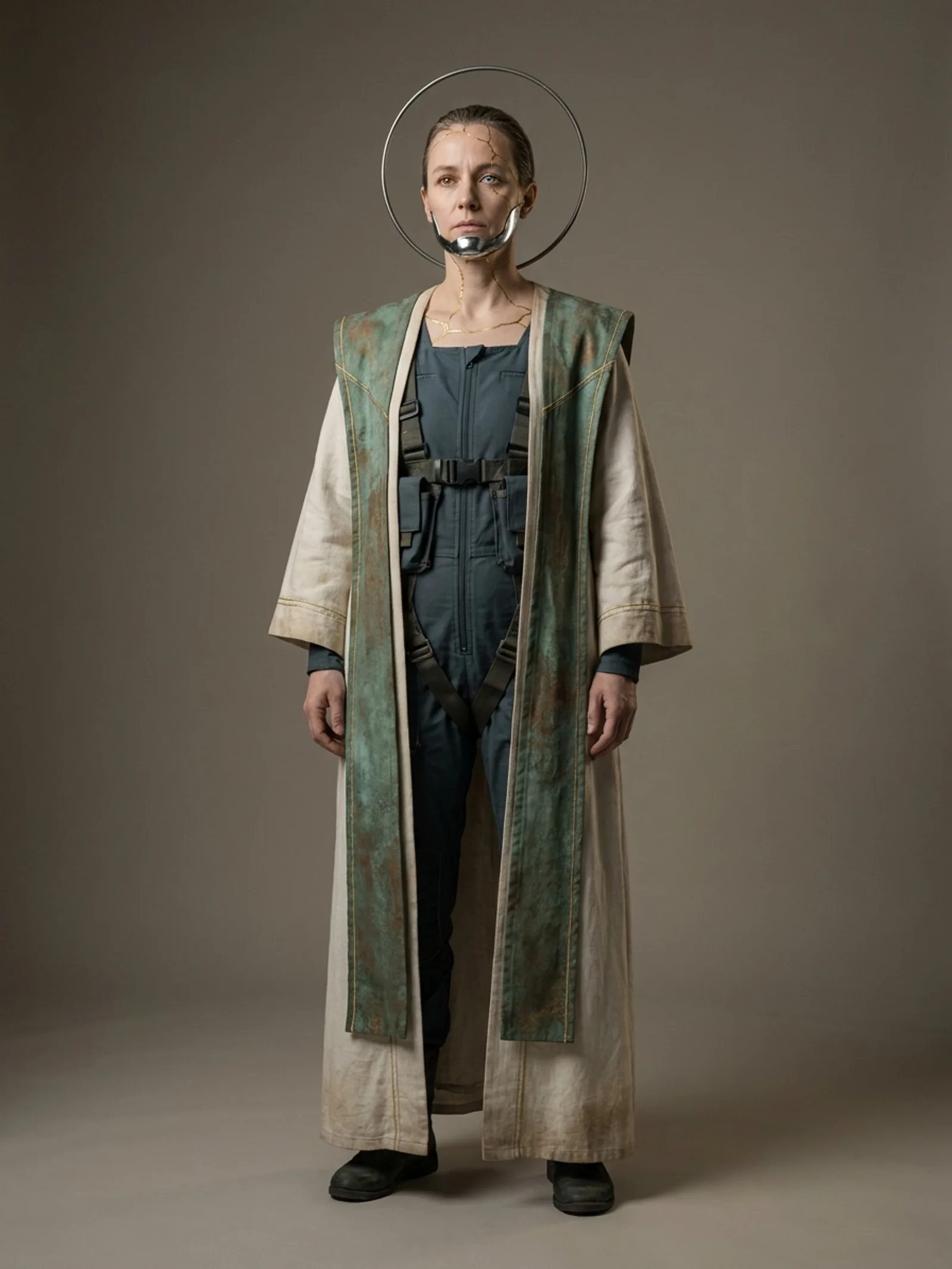
Identity sheet, approved
Rendered as animeA chrome jaw-plate on the lower left jaw, gold seams across the forehead, a ring that hangs unattached behind the head, one amber eye and one pale blue.
Locations
A place. Whatever the story does to it.
A location is an entity with states, so act two can wreck it without inventing a different place. Two of them here, with nothing in common but the mechanism — one coastal, one urban. Click any frame to open it larger.
EXT. HEADLAND - THE LIGHTHOUSEWeather and story events change the place without changing the place: same headland, same cottage, same camera.
EXT. KESTREL STREET - THE MARKETA different place entirely, held the same way. The iron clock, the striped awnings, the drainage channel and the blue-tiled corner are the same in all five.
For marketing teams
Or make the product the character.
An object is a consistent entity, exactly like a person. Give it a description or a photograph of the real thing, approve its sheet, and it holds its exact form from the hero shot to the macro detail — which is the entire job in an ad. Switch the subject at the top of this page to see the same bottle survive every medium.
One product, every cut
Approve the object once, from a description or a photograph of the real thing. It holds its exact form and its emblem from the hero shot to the macro detail, in every scene you assign it to.
A face and a voice that stay put
A spokesperson is a character: one approved sheet, one approved voice, reused across the campaign and across every cutdown. Not a fresh roll of the dice per shot.
Late changes that cost one shot
Paint over the part you want changed and describe the change. Outside the painted region the frame is untouched, so a note on the packaging does not mean re-rendering the campaign.
Cutdowns and other languages
Captions export as WebVTT or SRT and can be translated, and short-form projects add explicit hook and call-to-action checkpoints to the pipeline.
A fictional product, invented for this page.
Media types
The pipeline branches to what you are making.
How it stays honest
Reproducible, metered, and gated.
Reproducibility
Model, version and settings are pinned per generation, so a shot you liked can be made again.
Metering you can see
The credit cost of a generation is shown before you spend it. Video costs the most; a text refinement the least.
Targeted edits
Change one element without disturbing the rest. Edits are masked and non-destructive.
Rights checked on the server
Content ratings, real-person likeness verification and forced variation run before anything generates. Safety is a gate, not a suggestion.
What the safety gate actually does
The rating is checked against your account
Not in the browser. An image, voice or video generation will not spend a credit without a clearance issued by the server-side gate, and the clearance names the account it was issued to.
A real person is never generated explicitly
No plan, rating, age verification or likeness clearance overrides that. It is a hard block in code with no path around it.
The clearance is a record, not a checkbox
Verdict, sources, the forced variation applied and the reasons behind it are kept for every character - appended, never overwritten, including when you withdraw a likeness. If it is ever questioned, there is something to produce.
Frequently asked
The short answers.
Is it free to try?
Yes. Storyboarding - developing the story and breaking it into scenes - is free on every plan. The media-generating steps (character images, voices, and video) need a paid plan and credits.
Do I own what I make?
Your projects and the media you generate are yours. Videos you share carry an ownership watermark, and your project content is never used to train models.
Can I base a character on a real person?
Real-person likeness is verified and a forced variation is applied so the result is legally separated from the persona. Content ratings and rights are checked on the server before anything generates.
What can I make?
Movies, short films, advertisements, and educational videos - each with cinematography style presets tuned to the format, plus per-scene control for finer direction.
How do credits work?
Each generation uses credits by its real cost - video costs the most, a text refinement the least. Plans include a monthly pool with a daily cap, and add-on packs top you up mid-cycle.
Do I need my own AI keys?
No. Generation runs through the platform's models, matched to each task - language for scripting, image for character sheets, voice, and video for scenes.
More in the help guide.
Start a project
Scene 1 — start here
Storyboarding is free on every plan. You only spend credits when you generate media.
Imagery on this page is illustrative sample output authored to design it, not footage rendered by the StoryBoard OS pipeline. Every character, location and product shown is fictional.